
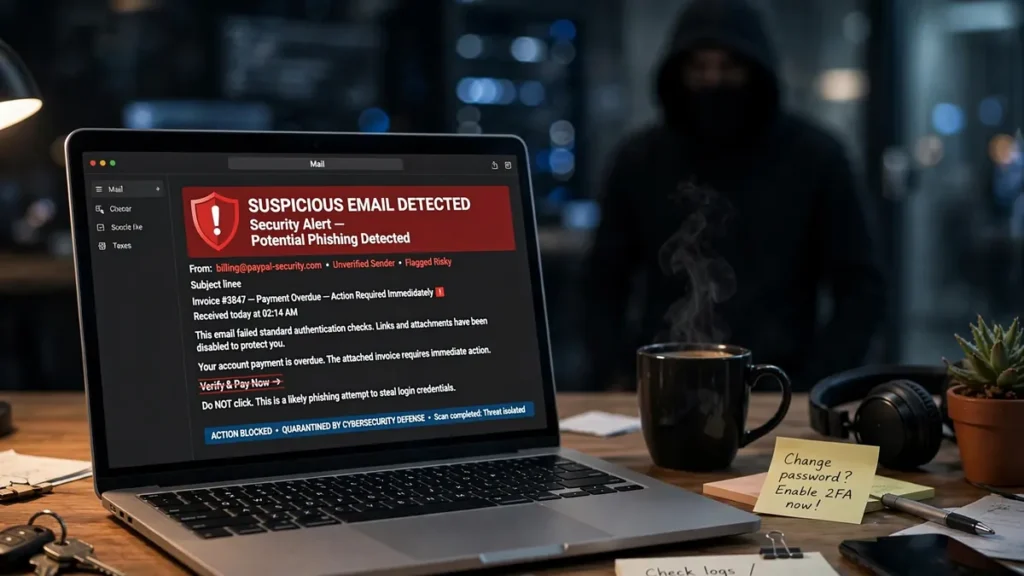
Phishing emails are one of the most common ways scammers steal passwords, bank details, and personal information. You do not need to be a cybersecurity expert to stay safe — most phishing attempts share the same warning signs. Once you know what to look for, spotting a fake email takes just a few seconds. Here are the ten red flags everyone should know.
Why Phishing Works
Phishing works because it exploits trust and urgency, not technical skill. Attackers impersonate banks, delivery companies, streaming services, or even your employer, and they count on you acting before thinking. With phishing kits sold cheaply on the dark web, even beginners can send convincing fakes. The good news: these emails almost always reveal themselves if you slow down and check a few details.
10 Red Flags That Reveal a Phishing Email
1. Urgent or Threatening Language
“Your account will be suspended in 24 hours!” Scammers create panic so you react instead of thinking. Real companies rarely demand instant action over email, and they never threaten to delete your account unless you click a link. If a message feels like an emergency, treat it as a red flag and verify through the company’s official website instead.
2. A Spoofed or Strange Sender Address
The display name may say “PayPal,” but the actual address reads like paypal-support@notice-billing.xyz. Always expand the sender field to see the full email address. Legitimate companies send from their own domain — a mismatch between the display name and the real address is one of the clearest signs of fraud.
3. Generic Greetings
“Dear Customer” or “Dear Valued User” suggests a mass-sent scam. Most legitimate businesses will address you by name. While some genuine newsletters use generic greetings, an email asking for action or payment that does not use your name deserves extra scrutiny.
4. Suspicious Links — Hover Before You Click
Hovering over a link (or long-pressing it on mobile) reveals the true destination. If the text says “bankofamerica.com” but the preview points to a random domain, do not click. Attackers also use shortened links or subtle misspellings like “micorsoft.com” to fool skimmers.
5. Unexpected Attachments
A message you did not ask for that carries an attachment — especially a ZIP file, Word document, or PDF — is dangerous. Opening it can install malware or ransomware. Never open attachments from senders you do not recognize, and even from known contacts, confirm the file is expected before opening.
6. Requests for Personal or Financial Information
No legitimate bank, government agency, or tech company will ask for your password, Social Security number, or credit card details by email. Any message requesting sensitive data is almost certainly phishing. When in doubt, contact the organization directly using a phone number or website you already trust.
7. Too-Good-to-Be-True Offers
You won a lottery you never entered, or you are getting a free iPhone for completing a survey. These baits promise prizes to lure you into entering personal details. Remember the golden rule: if an offer seems impossibly generous, it is a trap.
8. Grammar and Spelling Errors
Major companies proofread their emails. Clumsy grammar, odd phrasing, or repeated typos signal a scam. Note that modern AI tools have made phishing emails more polished, so perfect grammar no longer guarantees legitimacy either.
9. Mismatched or Fake Invoice and Order Numbers
“Your invoice #88213 is attached” can trick you into opening a malicious file. If you did not make a purchase, be suspicious. Cross-check by logging into your account on the company’s real website — never use the link in the email.
10. QR Code Phishing (“Quishing”)
A newer tactic is hiding malicious links inside QR codes, since the URL is invisible until scanned. Be wary of emails that push you to scan a code to “verify your account.” Preview the URL after scanning and never enter login details through a scanned code from an untrusted email.
What to Do If You Already Clicked
Do not panic. First, disconnect from the internet to limit any malware from spreading. Run a full scan with reputable antivirus software. If you entered login credentials, change those passwords immediately from a clean device and turn on two-factor authentication. If the compromised account is your email, securing it matters most, because password resets for everything else land there — these Hotmail account management insights for power users show how experienced users keep such accounts organized and protected. If you shared financial details, contact your bank right away. It is also smart to keep reliable data backup solutions in place, so a ransomware attack does not cost you your files.
How to Report a Phishing Email
Reporting helps take down scams and protects others. Forward suspicious emails to the Anti-Phishing Working Group at reportphishing@apwg.org, and in the US, to the FTC at ReportFraud.ftc.gov. Most email providers also let you report phishing directly — in Gmail, open the message, click the three dots, and select “Report phishing.” For official guidance, read CISA’s guide to avoiding phishing attacks and Google’s advice on identifying suspicious emails. You can also forward phishing texts to 7726 (SPAM) in the US.
Conclusion
Phishing emails succeed when they rush you into acting. Slow down, check the sender, hover over links, and question anything urgent or unexpected. Share these red flags with friends and family — especially older relatives, who are favorite targets. Staying safe online is a habit, much like following practical home safety tips protects your physical home. A few seconds of caution can save you from identity theft and months of hassle. To protect your whole network too, learn how to secure your home WiFi network.
Frequently Asked Questions
What is the most common sign of a phishing email?
Urgent, threatening language combined with a link or attachment. Scammers push you to act fast so you do not notice the fake sender address or suspicious URL.
Can phishing emails come from someone I know?
Yes. If a contact’s account is hacked, attackers can send phishing emails from their real address. Be suspicious of out-of-character messages and confirm unusual requests through another channel.
Is it safe to just open a phishing email?
Opening it is usually fine — the danger comes from clicking links, downloading attachments, or replying with personal information. Just do not interact with it, and report it instead.
What is spear phishing?
Spear phishing is a targeted attack customized with your name, job, or company details, making it far more convincing than generic spam. The same red flags apply, but you need to look more closely.
Should I delete a phishing email?
First report it to your email provider and forward it to reportphishing@apwg.org. Then delete it. Never reply to it, even to ask to be removed — that confirms your address is active.