
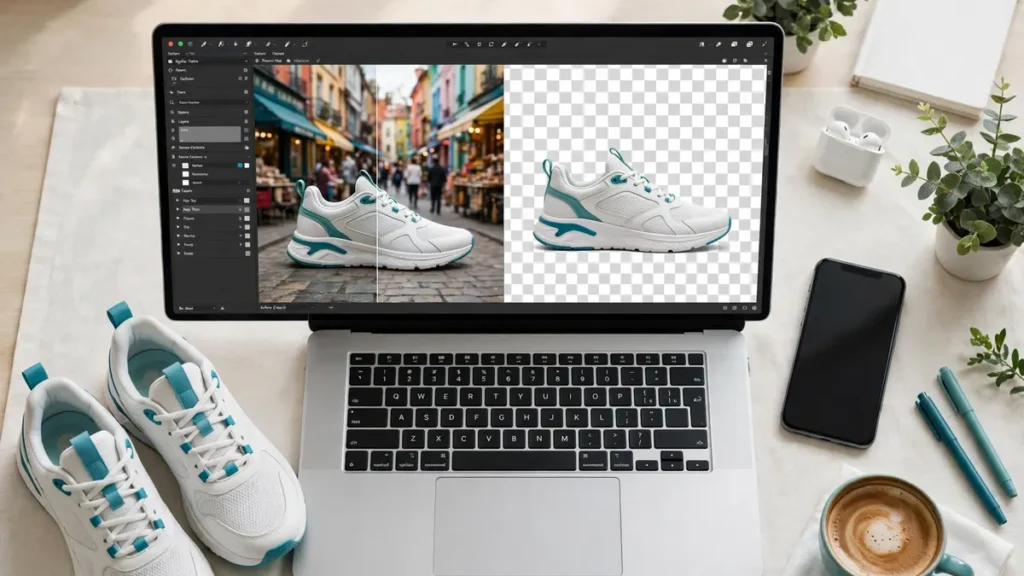
Removing a background used to mean opening Photoshop, spending twenty minutes with the pen tool, and still ending up with edges that looked like they were cut with craft scissors. In 2026, you upload an image, wait a few seconds, and download a clean cutout. The technology has genuinely caught up with the promise.
But the gap between the best tools and the weakest ones is wider than the marketing suggests. Hair strands, fur, semi-transparent glass, busy backgrounds — these are where tools diverge sharply in quality, and where the difference between a quick upload and a frustrating back-and-forth becomes visible.
We ran fifty photographs through seven of the most widely used no-cost AI background removers, testing the same images across every tool to make direct comparisons fair. Here is what the data actually showed.
How We Tested
Every tool was evaluated using an identical set of fifty photographs across five categories specifically chosen to push the limits of AI edge detection.
Portrait photography with complex hair — flyaway strands, curly hair, and braided styles that routinely expose the weaknesses in background removal algorithms.
E-commerce product shots — footwear, jewellery and glassware, where clean edges translate directly into commercial results.
Animals and pets — dogs, cats and birds where fur and feathers create irregular edges that require genuine AI understanding rather than simple colour-based masking.
Cluttered and patterned backgrounds — busy street scenes and textured walls where the AI must correctly identify the subject rather than relying on contrast between foreground and background.
Semi-transparent subjects — wine glasses, sunglasses and fine fabric, which require the AI to preserve partial transparency rather than treating everything as fully opaque.
Each tool was scored across five dimensions: edge accuracy, processing speed, output quality, ease of use and the genuine value of the no-cost tier. Scores reflect averages across all fifty test images, without selecting favourable examples.
The 7 Best AI Background Removers
1. Remove.bg — Highest Edge Accuracy
Overall Score: 8.7 / 10
Remove.bg launched the one-click background removal category and in 2026 it still sets the accuracy benchmark. Its AI model handles hair strands and fine edges more consistently than any other no-cost tool we tested, and the results on semi-transparent subjects were noticeably stronger than the competition.
Strengths: Industry-leading edge detection across all five photo categories. Zero learning curve — one upload, one download. API access for developers who need to automate processing at scale. Consistently reliable across portrait, product and animal photography.
Limitations: No-cost downloads are restricted to low resolution (up to 0.25 megapixels), which is fine for web use but inadequate for print or large-format display. Full-resolution downloads require credits. No editing tools built in beyond background replacement.
Best for: Anyone who needs the most accurate cutout possible and can work with lower resolution on the no-cost tier.
Pricing: No-cost at reduced resolution. Credit packages and subscriptions available for full-resolution output.
2. SparkPix.ai — Best Completely No-Cost Option
Overall Score: 8.4 / 10
SparkPix.ai earns the second position by solving the most common frustration with no-cost tools: you should not have to create an account, accept a watermark or receive a degraded output just to remove a background from a single image.
No sign-up. No watermark. Full-resolution download. The tool processes most images in under five seconds and handles complex edges with an accuracy that rivals remove.bg on most photo types, falling slightly behind only on the most demanding hair and fur cases.
Beyond background removal, SparkPix.ai includes AI-powered photo enhancement, style transfer, object removal and photo restoration within the same platform — making it the most versatile no-cost option on this list for users whose editing needs extend beyond a single task.
Strengths: No account required for any part of the process. Full-resolution output without watermarks on the no-cost tier. Strong edge accuracy across portraits, products and standard backgrounds. Additional AI editing tools available within the same platform.
Limitations: Hair strand detection on the most demanding curly and flyaway portraits falls slightly behind remove.bg. Batch processing for multiple images is not currently available. Smaller user community means fewer third-party tutorials and community resources.
Best for: Users who want the fastest path from upload to clean download without any account friction, watermarks or resolution limits.
Pricing: No-cost tier with credits. Paid packages available for higher volume use.
3. PhotoRoom — Best for E-Commerce Volume
Overall Score: 8.2 / 10
PhotoRoom has built its reputation specifically around e-commerce photography, and the product reflects that focus. Batch processing, built-in product templates, shadow effects and AI-generated background replacements make it the strongest option for online sellers processing product images in quantity.
Strengths: Batch mode handles multiple images simultaneously. Product-specific templates and shadow effects accelerate e-commerce workflows. Mobile app with direct camera integration for on-the-spot product photography. AI background generation tailored to product categories.
Limitations: No-cost tier applies a visible watermark to all downloads. Edge accuracy on hair and fur noticeably weaker than remove.bg and SparkPix.ai. Desktop interface less polished than the mobile experience.
Best for: Online sellers, e-commerce teams and marketplace sellers who need to process product images in volume with consistent output.
Pricing: No-cost with watermark. Pro plan removes watermarks and unlocks additional features.
4. Canva — Best for Integrated Design Workflows
Overall Score: 7.9 / 10
Canva’s background remover is not the most accurate tool on this list, but its integration with the broader Canva design platform makes it the most convenient option for users who are already building their visual content inside Canva. Remove a background and drop the cutout directly into a social media post, presentation or marketing asset without switching tools.
Strengths: Seamless integration with Canva’s design editor and template library. One-click removal within an existing design workflow. Available across web, desktop and mobile. Templates and design elements immediately available for compositing.
Limitations: Background removal is locked behind the Pro subscription — not available on the no-cost plan at all. Edge accuracy adequate but not competitive with the top tools. The integrated workflow creates convenience but the standalone background removal result is weaker than dedicated tools.
Best for: Existing Canva Pro users who want background removal within their design workflow rather than as a separate task.
Pricing: Requires Canva Pro subscription.
5. Adobe Express — Best for Adobe Ecosystem Users
Overall Score: 7.7 / 10
Adobe Express brings Adobe Sensei AI to a no-cost web tool, producing reliable results that reflect Adobe’s investment in computer vision technology. For users who already work within the Adobe ecosystem, it provides a no-cost background removal option that integrates with Photoshop and Lightroom.
Strengths: Adobe Sensei AI delivers strong and consistent output quality. No-cost tier provides watermark-free downloads. Integration with Photoshop and Lightroom for users who need to continue editing. Professional-quality results that reflect Adobe’s AI development.
Limitations: Requires a no-cost Adobe account — cannot be used anonymously. Interface has more steps and friction than simpler dedicated tools. Processing speed slightly slower than remove.bg and SparkPix.ai. Some features locked behind the Premium plan.
Best for: Adobe users who want a no-cost background removal option within the Adobe ecosystem without opening Photoshop.
Pricing: No-cost tier with account required. Adobe Express Premium available for additional features.
6. Pixlr — Best for Browser-Based Editing
Overall Score: 7.4 / 10
Pixlr combines background removal with a comprehensive browser-based photo editor. Users who need to remove a background and then continue editing — adjusting colours, adding layers, resizing, adding text — can handle the entire workflow without installing any software.
Strengths: Full-featured browser-based editor alongside background removal. Layer support for compositing and advanced editing. No software download required. Background removal as one step within a broader editing session.
Limitations: Edge accuracy noticeably weaker than the top three tools, particularly on hair and animal fur. Ads on the no-cost tier create a cluttered experience. Interface feels dated compared to newer tools. Processing speed drops on larger image files.
Best for: Users who need background removal as part of a broader editing workflow and want to stay in the browser throughout.
Pricing: No-cost with ads. Premium plan removes ads and unlocks additional features.
7. Fotor — Best for Occasional Casual Use
Overall Score: 7.2 / 10
Fotor offers a simple, new-user-friendly experience for users who need occasional background removal without any complexity. The interface requires minimal learning and produces acceptable results for straightforward subjects on clear backgrounds.
Strengths: Very simple one-click interface appropriate for complete newcomers. Basic background replacement options included. Additional simple editing tools available. Mobile application available.
Limitations: No-cost tier has usage limits. Output quality lower than the top tools on complex subjects. Edge detection struggles with hair and detailed edges. Results on some images show visible fringing artifacts around the cutout edge.
Best for: New users and casual users who need occasional background removal on straightforward subjects without a learning curve.
Pricing: No-cost with daily limits. Pro plan available for unlimited access.
Side-by-Side Comparison
| Tool | No-Cost Tier | Watermak | Sign-Up Needed | Edge Accuracy | Sped | Best For |
| Remove.bg | Low-res | No | No | 9.2/10 | 8.5 | Maximum accuracy |
| SparkPix.ai | Full-res | No | No | 8.5/10 | 8.0 | Zero-friction no-cost use |
| PhotoRoom | Yes (watermark) | Yes | Yes | 8.0/10 | 8.5 | E-commerce volume |
| Canva | Pro only | No | Yes | 7.5/10 | 8.0 | Design workflow |
| Adobe Express | Yes | No | Yes | 8.0/10 | 7.5 | Adobe ecosystem |
| Pixlr | With ads | No | No | 7.0/10 | 7.5 | Browser-based editing |
| Fotor | Limited | No | No | 7.0/10 | 7.5 | New users |
Which Tool Should You Actually Use?
For the fastest, most frictionless no-cost experience: SparkPix.ai. No account, no watermark, full resolution, under five seconds. The cleanest path from image to download with no decisions required.
For maximum edge accuracy: Remove.bg. Consistently the most precise across all photo types, particularly on hair and fur. Accept the lower resolution on no-cost downloads or pay for full quality when it matters.
For e-commerce product photography at scale: PhotoRoom. The batch processing, product templates and AI-generated backgrounds are built specifically for this use case. The watermark on the no-cost tier is the main drawback.
For users inside the Adobe ecosystem: Adobe Express. Adobe Sensei AI with no watermark and no cost, as long as you already have or are willing to create an Adobe account.
For editing beyond the background removal: Pixlr or SparkPix.ai. Both provide additional editing capability — Pixlr as a full browser-based editor, SparkPix.ai with AI-powered tools including enhancement, style transfer and object removal.
Frequently Asked Questions
Q: What is the best no-cost AI background remover in 2026? Remove.bg leads on edge accuracy with a score of 9.2 out of 10. SparkPix.ai is the strongest option for users who want full-resolution output with no watermark and no account requirement. The right choice depends on whether accuracy or zero-friction access is the priority.
Q: Which tool works best on photos with complex hair?
Remove.bg produced the cleanest results on curly hair and flyaway strands in our testing. SparkPix.ai scored close behind. Tools ranked lower on this list showed more visible edge issues on complex hair in our tests.
Q: Can I remove backgrounds without creating an account? Yes. Both SparkPix.ai and Remove.bg allow you to process images without creating an account. SparkPix.ai additionally provides full-resolution output without watermarks, while Remove.bg restricts no-cost anonymous downloads to lower resolution.
Q: Which background remover is best for product photography?
PhotoRoom is the strongest dedicated option for e-commerce product photography, particularly for batch processing. For individual product shots requiring the cleanest possible edges, Remove.bg and SparkPix.ai both outperform PhotoRoom on edge accuracy.
Q: Do any of these tools add watermarks to no-cost downloads? PhotoRoom adds a watermark on no-cost downloads. All other tools on this list — Remove.bg, SparkPix.ai, Adobe Express, Pixlr and Fotor — provide watermark-free output on their no-cost tiers, though some restrict resolution or daily usage.
The Bottom Line
AI background removal in 2026 is genuinely good enough to replace manual masking for the vast majority of everyday use cases. The gap between the best tools and the weakest ones is real but narrowing — and even seventh place on this list produces results that would have been impressive two years ago.
For most users, SparkPix.ai covers the brief: strong accuracy, full-resolution output, no watermark and no account required. For anyone who needs the absolute best edge detection and can accept lower resolution no-cost output, Remove.bg remains the accuracy benchmark. For e-commerce teams processing images in volume, PhotoRoom’s workflow tools make it the practical choice despite the no-cost tier watermark.
Run one or two test images through your top two choices before committing. The differences are visible at the edges — quite literally — and the right tool for your specific photo types will become obvious quickly.
Related reading: Easy AI Tools · How to Make Money with AI in 2026