Home Office Setup Ideas for a Comfortable and Productive Workspace
Working from home has become part of everyday life for many people. A well-designed workspace can help you stay focused, reduce stress, and improve productivity. Whether you have a dedicated room or just a small corner, these home office setup ideas will help you create a space that is both functional and inviting.
Choose the Right Location
The first step is selecting the best spot in your home. A quiet area with minimal distractions works best. If possible, choose a location near a window to enjoy natural light throughout the day.
If space is limited, consider using:
- An unused corner
- A spare bedroom
- A hallway nook
- A section of the living room
Invest in Comfortable Furniture
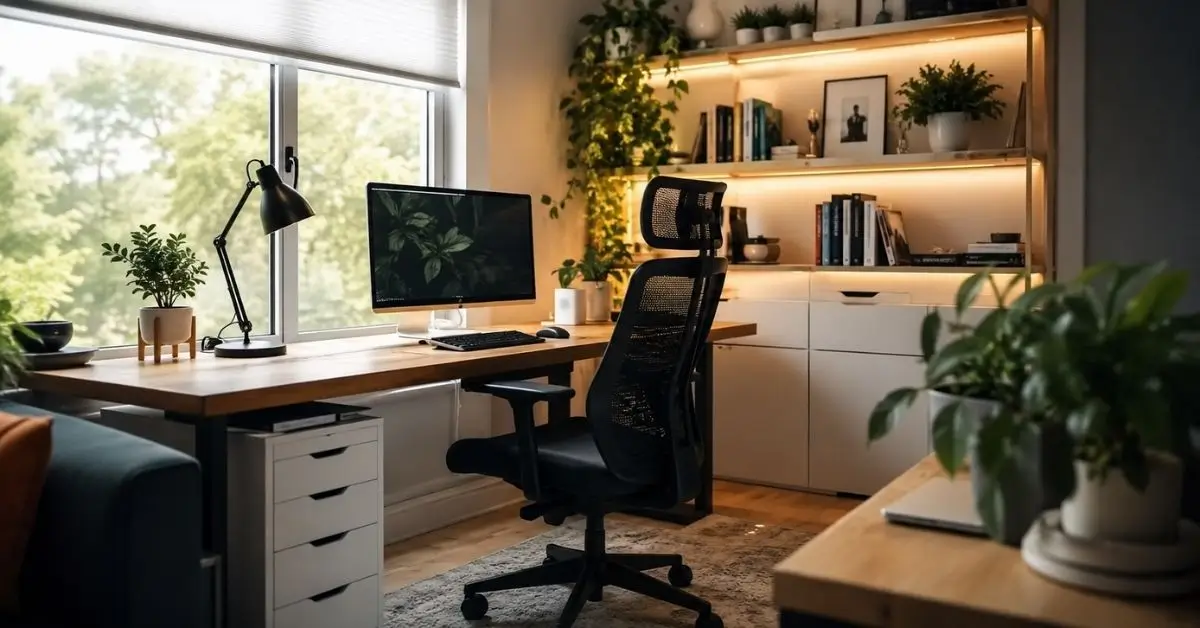
Your desk and chair are the foundation of your workspace. Choose furniture that supports good posture and allows you to work comfortably for long periods.
Essential Furniture
- Adjustable office chair
- Spacious desk
- Monitor stand
- Footrest if needed
An ergonomic setup helps reduce neck, back, and wrist strain.
Improve Your Lighting
Lighting affects both productivity and eye comfort.
A combination of natural light and a quality desk lamp works well. Warm lighting creates a relaxing atmosphere, while cool white light improves concentration during work hours.
Avoid placing your monitor directly in front of a bright window to reduce glare.
Keep Your Workspace Organized
A clutter-free desk makes it easier to focus.
Useful organization ideas include:
- Drawer organizers
- Floating shelves
- Cable management boxes
- Desktop storage trays
- Labelled containers
Keeping only essential items on your desk creates a cleaner and more professional workspace.
Add Personal Style
Your office should inspire you.
Simple decorative touches include:
- Indoor plants
- Wall art
- Family photos
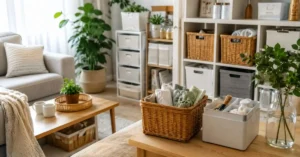
- Decorative storage baskets
- Neutral color palettes
These small details make the workspace feel welcoming without becoming distracting.
Upgrade Your Technology
Modern technology can improve efficiency and comfort.
Helpful accessories include:
- External monitor
- Wireless keyboard and mouse
- Noise-canceling headphones
- Webcam
- USB hub
- Fast Wi-Fi router
These upgrades make daily work smoother and more productive.
Create a Productive Routine
A great workspace supports healthy work habits.
Consider these simple practices:
- Keep a daily planner nearby.
- Take short breaks every hour.
- Stay hydrated.
- Maintain a clean desk.
- End each day by organizing your workspace.
Small routines help maintain long-term productivity.
Budget-Friendly Home Office Ideas
Creating a beautiful office doesn’t have to be expensive.
Affordable improvements include:
- Repurposing existing furniture
- Using peel-and-stick wallpaper
- Installing floating shelves
- Adding LED desk lighting
- Buying second-hand office furniture
- Using storage bins for organization
Even small changes can make a noticeable difference.
Conclusion
The best home office setup ideas balance comfort, organization, and functionality. Start with a suitable location, invest in ergonomic furniture, improve lighting, and keep your workspace organized. Add personal touches and practical technology to create an office where you enjoy spending your workday. With thoughtful planning, you can design a workspace that supports productivity for years to come.
FAQs
What is essential for a home office setup?
A comfortable chair, functional desk, reliable internet connection, good lighting, and proper organization are the basic essentials.
How can I set up a home office in a small space?
Use vertical storage, compact furniture, floating shelves, and multi-purpose desks to maximize available space.
What lighting is best for a home office?
Natural daylight combined with an adjustable LED desk lamp provides the best balance for comfort and productivity.
How do I make my home office more productive?
Keep your workspace organized, minimize distractions, maintain good posture, and follow a regular work routine.